
 Workflow
A Unified Operational Workflow
Manage the full inspection-to-maintenance life cycle in one ecosystem. Ingest multi-source inspection data, run AI analysis, validate results, generate reports, and drive corrective actions with clear ownership, tracking, and audibility.

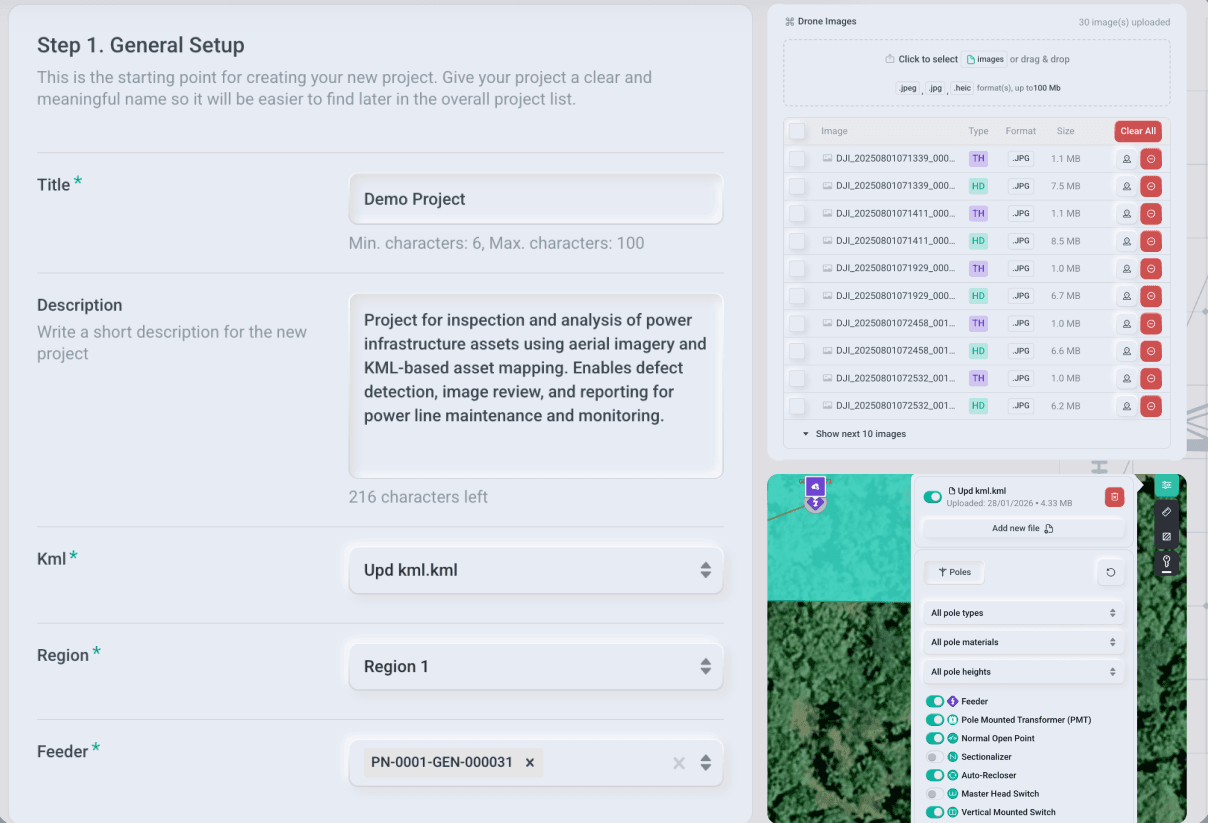
Data Ingestion & Project Setup
Create projects, add users, load asset GIS data, and upload inspection data to the platform. Data will be organized automatically for fast processing and review.

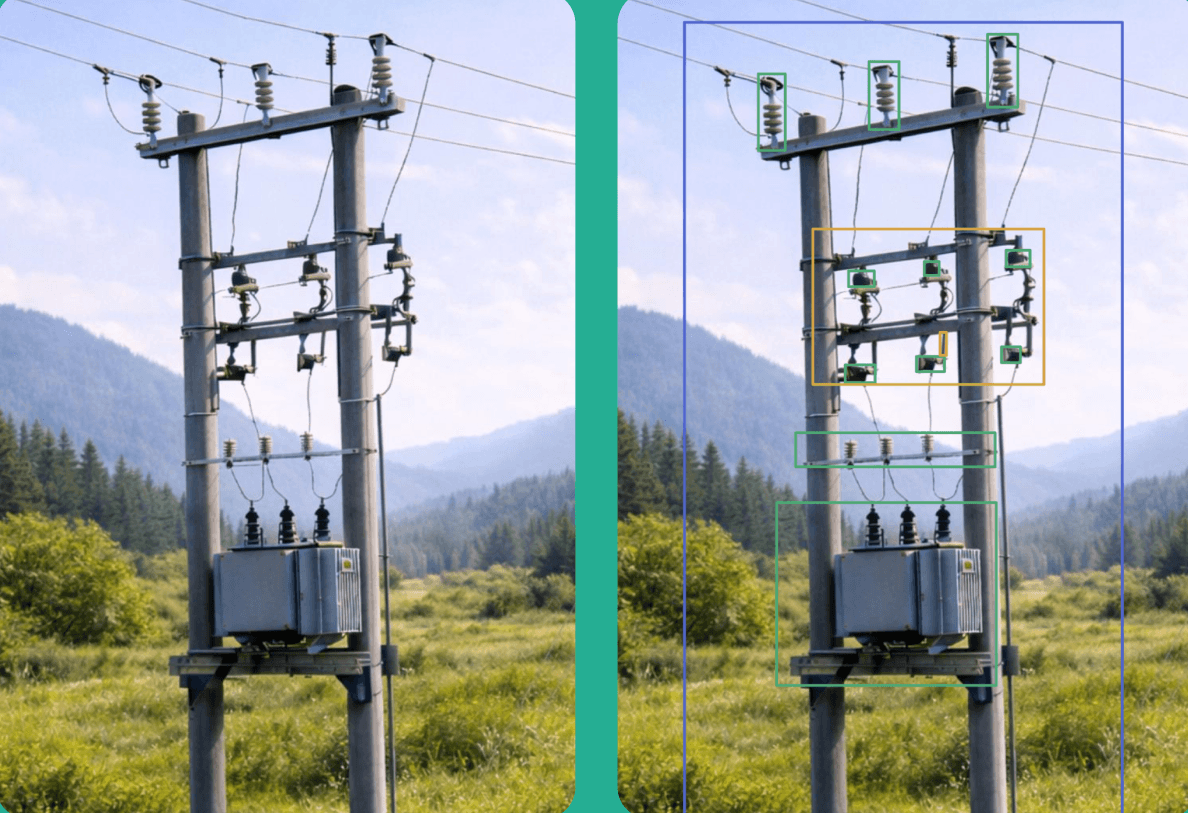
AI Processing & Defect Detection
Run custom developed AI models across image datasets to detect assets, identify defects, and extract issues. Outputs are standardized for consistent review and reporting on the platform.

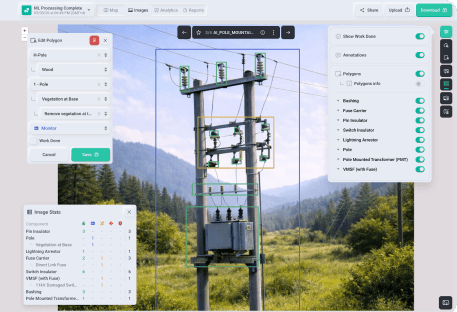
Data Visualization & Validation
Utilize platform tools to review AI findings in a guided workflow and confirm defects on the image canvas and GIS overlays. Create a trusted dataset for reporting and downstream actions.

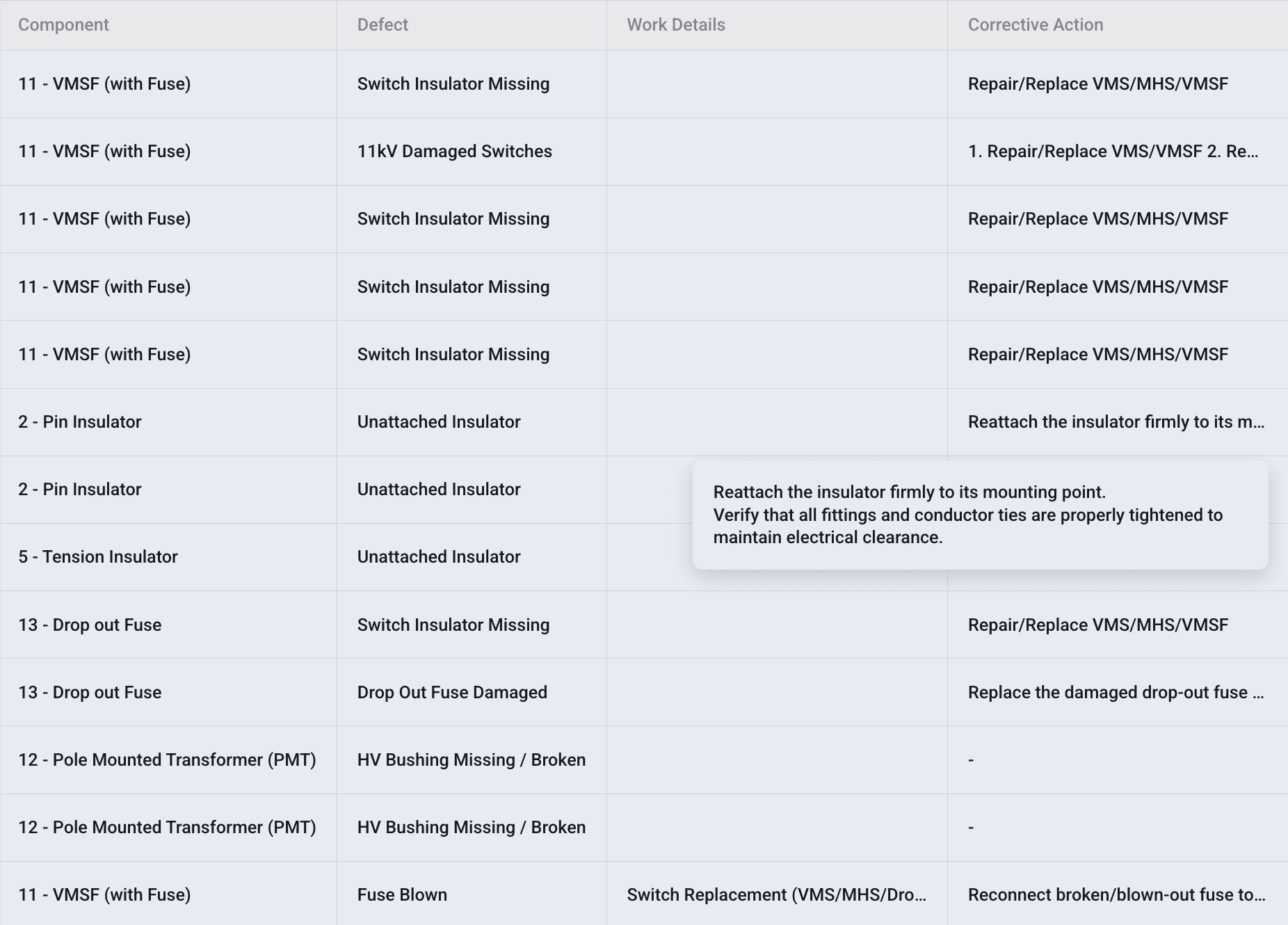
Prioritization & Risk Scoring
Auto-rank findings by severity, impact, and follow-on actions. Focus teams on what matters most while keeping full traceability from evidence to action.

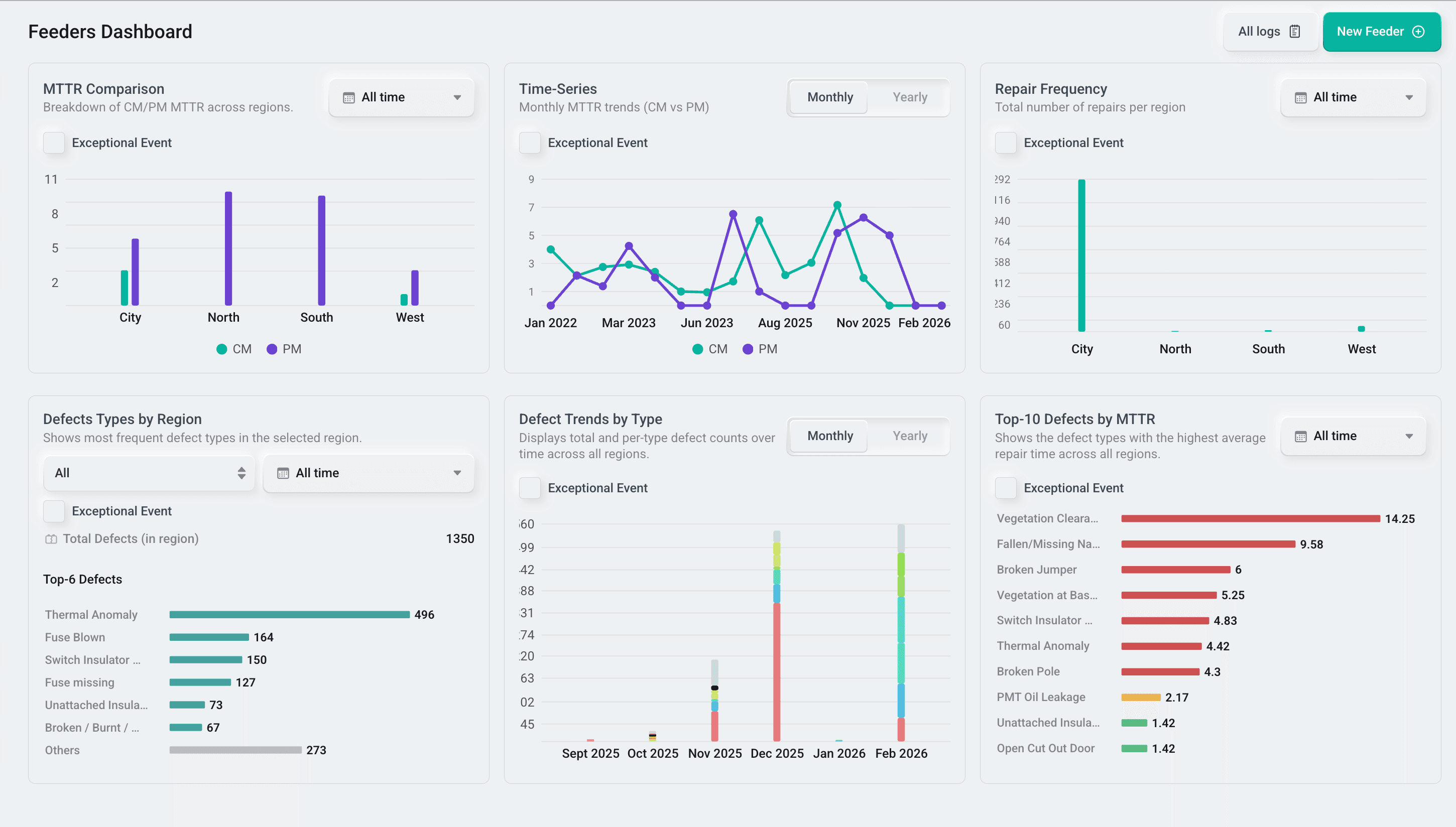
Analytics & Reporting
Generate structured asset level analytics and reports from validated findings, including defect summaries, component-level insights, severity-based trends, and location-linked evidence.

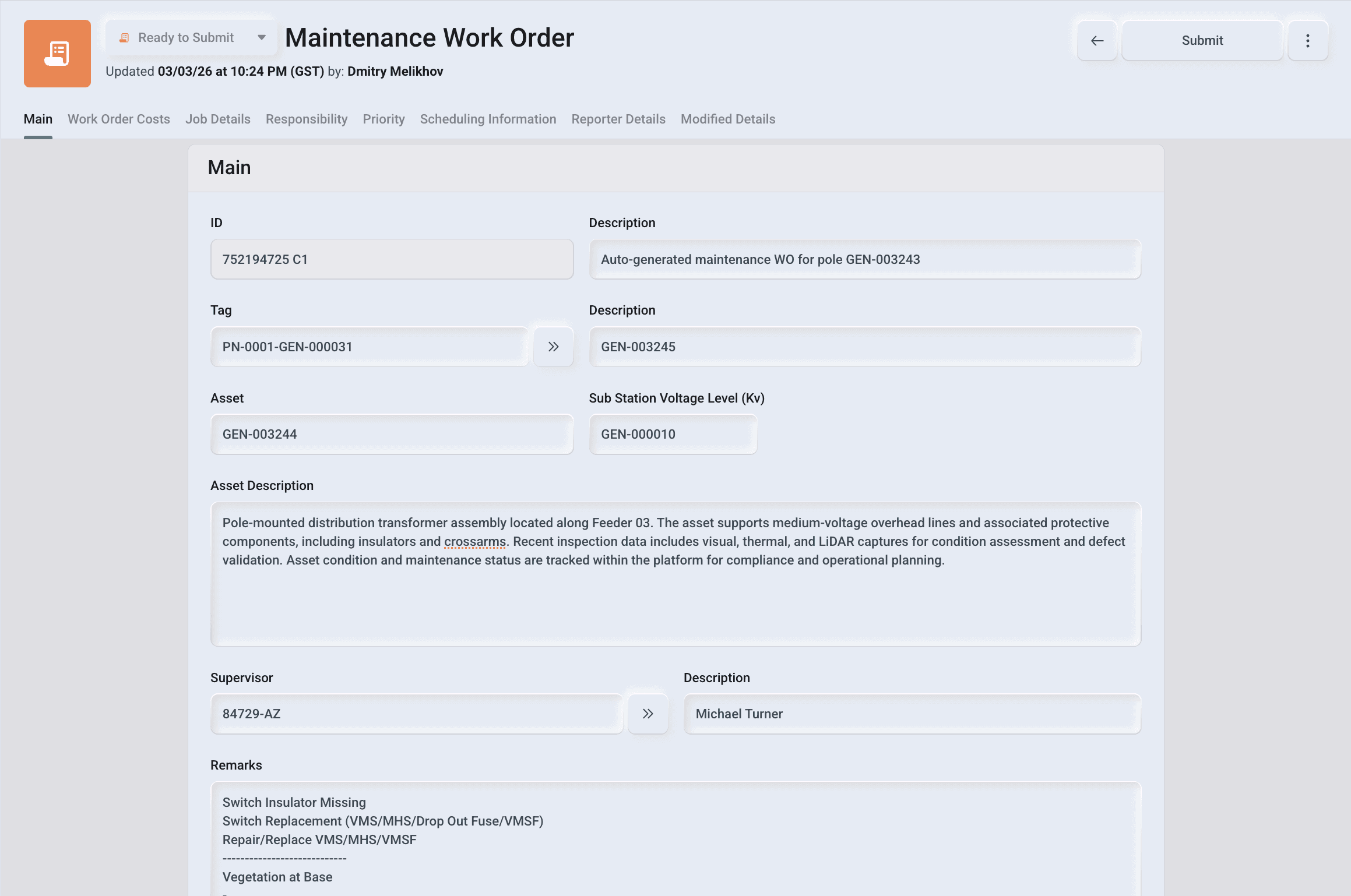
Maintenance Tracking
Convert prioritized findings into trackable maintenance actions with ownership, status, and completion timelines. Monitor progress from issue identification to closure using linked evidence.

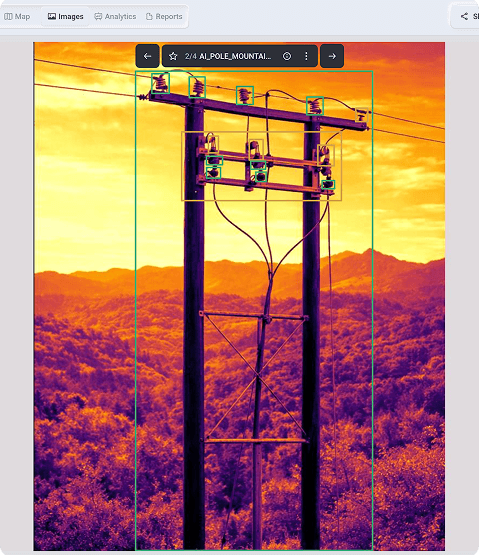
Continuous Monitoring
Universal data intake. Seamlessly upload inspection streams from any capture source - aerial drones, vehicle-mounted cameras, or ground devices—directly into the project structure for immediate organization.
 Workflow
A Unified Operational Workflow
Manage the full inspection-to-maintenance life cycle in one ecosystem. Ingest multi-source inspection data, run AI analysis, validate results, generate reports, and drive corrective actions with clear ownership, tracking, and audibility.
Data Ingestion & Project Setup
Create projects, add users, load asset GIS data, and upload inspection data to the platform. Data will be organized automatically for fast processing and review.
Data Ingestion & Project Setup
Create projects, add users, load asset GIS data, and upload inspection data to the platform. Data will be organized automatically for fast processing and review.
AI Processing & Defect Detection
Run custom developed AI models across image datasets to detect assets, identify defects, and extract issues. Outputs are standardized for consistent review and reporting on the platform.
AI Processing & Defect Detection
Run custom developed AI models across image datasets to detect assets, identify defects, and extract issues. Outputs are standardized for consistent review and reporting on the platform.
Analytics & Reporting
Generate structured asset level analytics and reports from validated findings, including defect summaries, component-level insights, severity-based trends, and location-linked evidence.
Analytics & Reporting
Generate structured asset level analytics and reports from validated findings, including defect summaries, component-level insights, severity-based trends, and location-linked evidence.
Prioritization & Risk Scoring
Auto-rank findings by severity, impact, and follow-on actions. Focus teams on what matters most while keeping full traceability from evidence to action.
Prioritization & Risk Scoring
Auto-rank findings by severity, impact, and follow-on actions. Focus teams on what matters most while keeping full traceability from evidence to action.
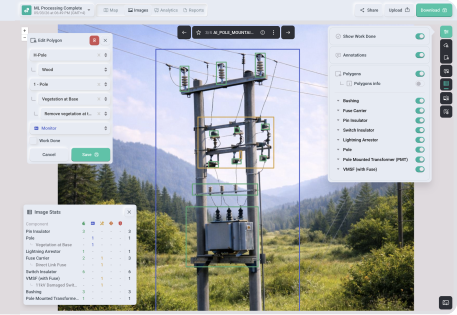
Data Visualization & Validation
Utilize platform tools to review AI findings in a guided workflow and confirm defects on the image canvas and GIS overlays. Create a trusted dataset for reporting and downstream actions.
Data Visualization & Validation
Utilize platform tools to review AI findings in a guided workflow and confirm defects on the image canvas and GIS overlays. Create a trusted dataset for reporting and downstream actions.
Maintenance Tracking
Convert prioritized findings into trackable maintenance actions with ownership, status, and completion timelines. Monitor progress from issue identification to closure using linked evidence.
Maintenance Tracking
Convert prioritized findings into trackable maintenance actions with ownership, status, and completion timelines. Monitor progress from issue identification to closure using linked evidence.